
How Avukat Helps Tech Pros: Practical Legal Aid for Digital Work
Explore how Avukat can streamline legal matters for tech projects, with concrete steps, pitfalls to avoid, and practical tips for developers and security teams.

Facing tech projects that touch law, you need clear, reliable help. This explainer shows what Avukat is, why it matters for developers and security teams, and how to use it effectively. You’ll learn concrete steps to integrate legal support into workflows from planning to deployment.
The guide stays practical: it maps functions, shows when to involve counsel, and highlights common friction points between engineering timelines and legal review.
By the end, you’ll have a concrete plan to leverage Avukat in product cycles, while avoiding typical missteps that slow teams or miss obligations.
- Avukat is a practical bridge between engineering and law, offering tailored support for tech projects.
- Use early intake and designated contacts to keep reviews timely and relevant.
- Leverage templates and automation to standardize risk assessments and data handling.
- Choose the right mix of in-house and external counsel based on project risk and cadence.
Basics of legal tech help for developers
What Avukat does for teams
Avukat provides access to legal support tailored for tech workflows. It helps clarify licensing, data use, and risk assessments early in the project life cycle. Using it reduces back-and-forth and speeds up reviews.
- Assess project scope and legal needs early
- Provide templates and checklists for rapid reviews
- Support faster, clearer communication with counsel
Teams gain templates, checklists, and guidance aligned with product stages, from ideation to deployment. This keeps compliance from becoming a last-minute bottleneck.
Understanding the core capabilities helps engineers plan legal touchpoints and communicate needs clearly to counsel.
- Identify project scope early
- Clarify data sources and usage
- Pin down regulatory concerns
- Set timelines for reviews
Who should access it in a project
Engineers, product managers, and security leads all benefit from accessible legal help. It’s not about replacing counsel, but about enabling fast, informed decisions. When teams know where to turn, reviews stay timely rather than becoming delays.
Legal teams gain visibility into project plans, reducing repetitive questions and speeding risk assessment. This alignment helps deliver compliant software faster.
In practice, designate a primary contact per project who coordinates with Avukat resources and tracks outcomes.
- Appoint a legal liaison
- Schedule early intake with counsel
- Use standard project templates
- Keep an auditable trail of decisions
Why lawyers matter to software teams

Risk management for software projects
Lawyers translate vague risk into concrete actions. They interpret data handling, user consent, and third-party terms into clear requirements. This helps teams avoid rework when audits occur. A useful resource on this topic: avukatlar için süre takip uygulaması.
Legal input captures dependencies that engineers might overlook, such as compliance with regional data transfer rules. This preempts costly changes late in development.
Clear risk flags at the design stage save time and budget while improving trust with users and regulators.
- Identify sensitive data early
- Map consent and terms
- Track third-party obligations
- Plan remedies for violations
How Avukat coordinates with security
Security teams need fast, reliable policy interpretations. Avukat helps translate standards into technical requirements, such as data minimization and access controls. This reduces guesswork during audits.
Counsel can review security claims in light of current laws, helping teams justify controls to stakeholders. This makes security reviews more robust and review cycles shorter.
The result is a smoother handoff from security to product release, with documented compliance rationales.
- Translate policy into config needs
- Provide evidence for audits
- Align security with regional rules
- Maintain an action calendar for fixes
How to choose among options
In-house vs. external counsel
In-house lawyers offer continuous availability and context on the company’s products, which speeds ongoing reviews. External counsel can provide niche expertise and fresh perspectives for complex issues. The choice depends on project risk and cadence.
- ☐ Determine core vs. specialist needs
- ☐ Set clear engagement terms
- ☐ Schedule periodic reviews
Consider a hybrid approach: core legal oversight in-house, with specialists engaged for high-stakes areas like AI ethics or cross-border data flows. This balances speed and depth.
Decision should reflect team size, project scope, and regulatory exposure.
- Assess project risk level
- Evaluate internal bandwidth
- Plan for specialist input as needed
- Define escalation paths with counsel
| Option | Pros | Cons |
|---|---|---|
| In-house counsel | Deep project context, fast interaction | Higher fixed cost and bandwidth limits |
| External specialists | Niche expertise, scalable for risks | Possible slower intake and higher per-project cost |
| Hybrid approach | Balanced speed and depth | Requires clear governance and coordination |
Templates and automation
Templates turn legal requirements into repeatable processes. Standard terms, data-use agreements, and review checklists speed up every project. Automation handles routine validation, freeing lawyers to focus on novel risks.
Keep templates current with regulatory changes and product evolutions. Document versioning so teams can track what applies when.
This approach reduces friction between development and compliance teams.
- Use standardized data agreements
- Maintain version-controlled templates
- Automate risk checks
- Document change history
Avukat integrations streamline review by automatically routing license checks and terms during code review, reducing back-and-forth between developers and counsel.
Tech policy and Avukat integrations
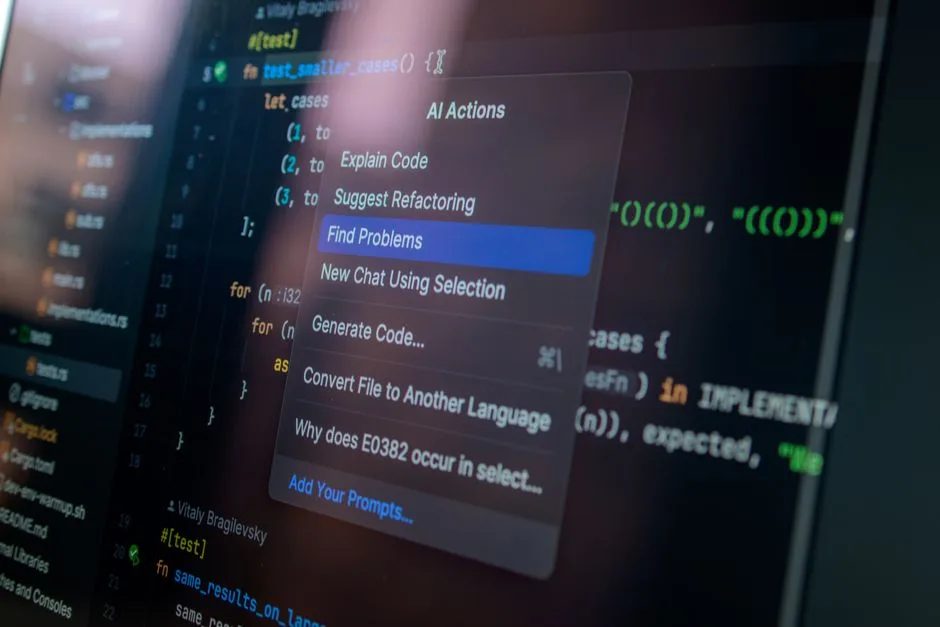
Integrating legal at code review
Avukat integrations streamline review by automatically routing license checks and terms during code review, reducing back-and-forth between developers and counsel. Teams gain visibility into who is responsible for which policy area and when changes trigger compliance reviews. This concrete coupling saves time and lowers the risk of missing obligations in fast sprints.
- Embed policy checks in CI so every build sees the current rules
- Use a policy registry to track which rules apply to which modules
- Keep a change log of policy decisions for audits
Automation can flag risky dependencies and flag licenses that don’t align with project goals, making precedents clearer for engineers. The key is to map policy requirements to your repo structure and CI workflows, so compliance happens in the same loop as builds.
With clear ownership and automated checks, developers learn to notice policy gaps early, minimizing last-minute legal fixes. The integration becomes part of standard tooling rather than a bolt-on process.
- Automate license scanning at pull request
- Link policy rules to specific code modules
- Notify the right team when changes occur
- Audit trails for compliance decisions
- Document policy mappings in your READMEs
Ethics, AI, and compliance
Guidelines for AI help desk
An AI governance plan helps teams decide when to deploy automated tools and how to handle sensitive data. Document who reviews outputs, what safety nets exist, and how to handle user prompts that involve confidential information. This clarity prevents risky deployments from slipping through gaps.
Define data handling rules for training and evaluation, and specify which data types are off-limits for AI processing. Clear boundaries protect users and keep development aligned with legal and ethical standards.
Regular reviews of AI prompts and outputs encourage responsible use and continuous improvement. Teams should publish a concise ethics brief to guide daily decisions and escalate concerns early.
- Document review roles for AI projects
- Set data handling and privacy constraints
- Publish an ethics brief for the team
- Schedule periodic governance checks
- Track incidents and learnings
Practical pitfalls for teams

Common compliance blind spots
Teams frequently overlook how third-party services impact compliance. A simple misconfiguration can expose data flow gaps or license violations that appear minor until an audit.
- Audit data flows when using external services
- Keep dependency licenses current in the registry
Another risk is inconsistent record-keeping; when developers change licenses or update dependencies, the system must reflect those changes in real time. Without it, audits become guesswork.
Finally, ambiguity in policy ownership leads to delayed responses. Clear accountability speeds up remediation and reduces downtime during releases.
- Map every third-party in use
- Automate dependency license checks
- Assign clear policy owners
- Maintain an up-to-date risk register
- Document remediation steps
Pro tips and maintenance
Day-to-day compliance routine
Set a weekly cadence for reviewing new dependencies and their licenses. A short checklist ensures nothing slips through the cracks and teams stay aligned with policy goals.
Automated alerts for policy drift help catch changes before they reach production. Use these alerts to trigger quick triage and remediation instead of last-minute firefighting.
Maintain a living document that explains how Avukat is used in your workflow, including how to handle exceptions and who approves them. This keeps new hires productive faster.
- Run weekly dependency checks
- Configure drift alerts
- Document usage workflows
- Train engineers on exception handling
- Archive old policy rationales
Frequently asked questions
What is Avukat in tech terms?Avukat acts as a policy and license monitor within development workflows. It checks dependencies, data flows, and governance constraints as code moves through the pipeline. For engineers, the benefit is catching issues early without needing constant legal review, while for lawyers it provides clear audit trails.
What kinds of data does Avukat process?It processes metadata about dependencies, licenses, and configuration choices, plus the outputs of automated checks. It does not retrieve unrelated personal data; its focus is on compliance signals and policy alignment within the project scope.
How are policy exceptions handled?Exceptions should have a documented rationale, an owner, and a temporary validity period. The system should prompt for re-evaluation before expiry and log any changes for audit reports.
Who should own the Avukat workflow?A policy owner or tech lead should own it, with escalation paths to legal counsel for complex judgments. The goal is a small, accountable team that can keep the policy rules in sync with the codebase.
Next steps for your tech team
Adopt a minimal, high-signal policy map that directly matches your codebase structure, then expand only what you truly need.
Establish a regular review cadence and a clear owner so policy updates stay synchronized with development cycles.
For a deeper understanding of this topic, What to Know Before Hiring a offers valuable insights worth exploring.
If you enjoyed this article, we recommend checking out Bağcılar Kan Arayanlar: güvenli ve hızlı for further reading.
If you enjoyed this article, we recommend checking out SmartTech guide to evaluating real estate for further reading.
Add Honda Accord Cars as a preferred source on Google


