
How to submit an event in the USA: a practical tech guide
A clear, technical explainer for technology readers about submitting events in the USA, including steps, options, and pitfalls for organizers and competitors.

Organizations and individuals hosting tech events in the USA need a reliable submission workflow that minimizes friction and synchronization issues. This guide explains what counts as an event submission, why the process matters for discoverability and security, and how to approach it with a practical checklist. You’ll learn concrete steps, common choices, and what to watch out for when coordinating across platforms.
The core concepts cover purpose, data requirements, and how to verify event details before publishing. We’ll cover the most common submission paths, from official calendars to third‑party directories, and explain how to compare these options for reliability and reach.
Understanding the practical workflow helps tech teams plan timelines, reduce errors, and improve user trust when events appear in multiple places. By the end you’ll know where to start, what to collect, and how to test your submission so listings stay accurate and accessible.
- Submitting an event in the USA requires a clear data set: title, date, venue, and contact details. Ensure time zones are exact and updates propagate to all channels.
- Choose direct calendars for control and aggregators for reach, but test both paths with a real event to see how data formats translate.
- Maintain a master event record to feed all listings and automate routine fields to reduce errors.
- Watch for data quality problems early, and embed quick QA steps into your workflow to protect readers.
Basics of submitting events
What counts as an event
An event is a scheduled activity with a defined start time, end time, and location or virtual access. Submissions should include a title, date, venue, and a short description that clarifies purpose and audience. For technology readers, note any prerequisites like tickets, registrations, or access requirements. submit an event in the USA is a phrase you will encounter when coordinating with calendars and directories.
The submission should also include contact details for updates or corrections, and a brief policy note about recording or streaming if applicable.
Be precise about time zones and invitation links to avoid misinterpretations or late notice.
- Include a public link to register
- Add a clear end time
- Provide accessibility notes if relevant
- Offer a contact email for changes
- Specify whether attendance is free or paid
How listings reach audiences

Where listings appear
Events can appear on official calendars, community boards, and tech media sites. Each venue has different requirements for fields, image sizes, and update frequency. Understanding these helps align your submission with the right channel to maximize visibility. The latest news USA appears in major tech calendars and partner sites as part of platform updates.
Publishers often require validation steps, such as calendar exports (ICS) or feed submissions, to keep data current.
Consistency across channels protects readers from outdated times or mislabeling.
- Check required fields for each platform
- Prepare a single source of truth (a master event record)
- Update listings promptly after changes
- Use standardized date and time formats
- Respect platform-specific image and description limits
Options for tech teams
Direct calendars vs. aggregators
Direct calendars give you control over how an event is shown and updated, but they require more maintenance. Aggregators reach broader audiences with less setup, but may strip details or delay updates. Consider a hybrid approach for reliability and reach. A local business directory in the USA often pairs with regional tech events for visibility and relevance.
Use machine‑readable formats (like RSS or iCal) when possible to ease automated ingest. Maintain a master record to feed both direct listings and aggregators.
Test each channel by submitting a test event and monitoring how it appears and updates across platforms.
- Direct calendars for core organizers
- Aggregators for extended reach
- Maintain a single source of truth
- Automate data feeds
- Test end-to-end
| Option | Pros | Cons |
|---|---|---|
| Direct calendar | Full control over data and updates | Requires ongoing maintenance and coordination |
| Aggregator | Wider reach with less effort | May alter details or delay changes |
| Hybrid setup | Best balance of control and reach | More setup complexity |
Cross‑check with venue hosts or sponsors to confirm details and keep the master record synchronized.
Pitfalls to watch for
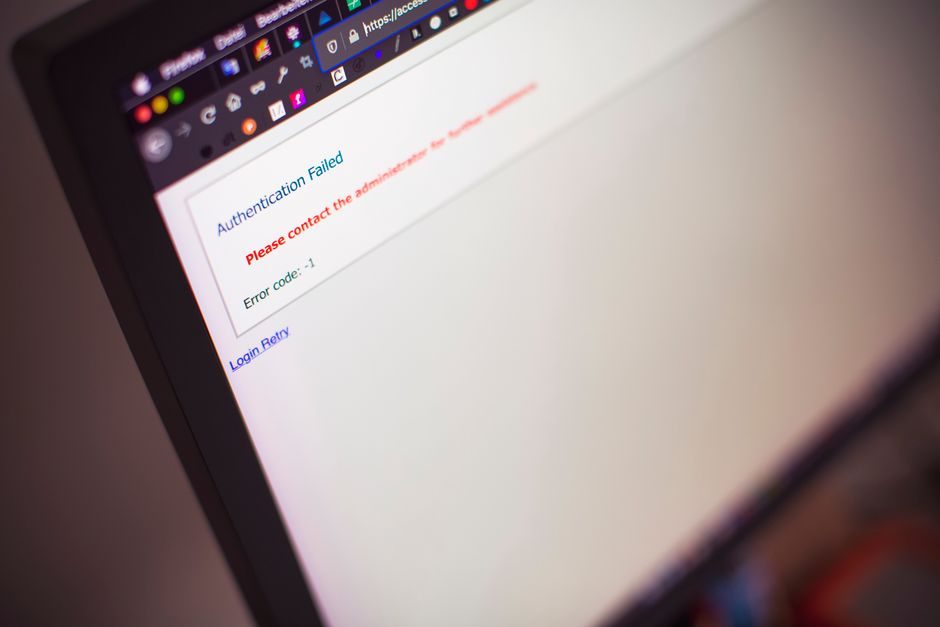
Data quality hazards
Missing fields, typos, and outdated times lead to miscommunication and wasted tickets. Ensure every required field is complete before submission and verify automatically generated fields like URLs and IDs. Build a quick QA pass into your workflow so readers don’t encounter broken or vague listings. buy and sell in the USA can intersect with event listings when venues host marketplaces or demos.
Cross‑check with venue hosts or sponsors to confirm details and keep the master record synchronized.
Review regional rules for event listings, such as privacy considerations for attendee data or accessibility requirements.
- Validate dates and times
- Check URLs and registration links
- Confirm venue and format compatibility
- Ensure accessibility information is present
- Synchronize updates across platforms
Event privacy and security
Data handling considerations
When you submit an event, understand who can view it and how data is stored. Identify any fields that are optional and which are required for verification. A clear data policy helps you avoid leaks and misuses. place a death notice in the USA
- Store minimal personal data
- Limit access to organizers
- Monitor for unusual changes
Validate who edits the event and who publishes updates, especially for large tech conferences or company-sponsored meetups. Use role-based access controls and audit trails to track changes over time.
Test the submission workflow in a staging environment to catch exposure or misconfiguration. This reduces the risk of accidental publication of incomplete or sensitive information.
- Define data ownership
- Restrict edit permissions
- Audit submission changes
- Encrypt sensitive fields
- Review retention policies
Platform reliability comparison

Service quality benchmarks
Assess uptime guarantees and incident response times offered by listings platforms. Real-world reliability comes from tested failover and quick recovery during outages.
- ☐ Measure latency under peak load
- ☐ Check incident history summaries
- ☐ Verify backup procedures
Compare regional CDNs, caching strategies, and how often the system rebuilds search indexes after updates. These factors affect how fast your event appears in listings and searches.
Run simulated outages to see how the platform behaves under load, then adjust expectations or choose alternative routes for critical events.
- Uptime commitments
- Disaster recovery plans
- Content delivery speed
- Search index latency
- Scaling capabilities
Tech stack integration
APIs and data formats
Choose platforms that expose clear APIs for event submission, updates, and cancellation. JSON or XML payloads should be well-documented and stable across releases.
- Define data contracts
- Plan for versioning
- Automate testing
Ensure consistent data models across systems so a single event object can synchronize with calendars, mailing lists, and analytics.
Test idempotent operations to avoid duplicate listings if a submission is retried after a failure.
- Well-documented APIs
- Consistent event schema
- Idempotent endpoints
- Webhooks for updates
- Authentication methods
Pre‑publish rehearsal

Dry-run procedures
Create a rehearsal environment that mirrors production and validates end-to-end submission, approval, and publication flows. Include a sample event with all required fields to catch gaps.
Involve stakeholders from marketing, legal, and product to review visibility, privacy notices, and acceptance criteria. This reduces last-minute surprises.
Document failure modes and recovery steps so your team can respond quickly if something goes wrong during live publishing.
- Run end-to-end tests
- Coordinate roles
- Review privacy notices
- Log and review rehearsal outcomes
- Prepare rollback plans
Frequently asked questions
What counts as an eligible event listing in the USA?This varies by platform and purpose, but most require date, location, and a concise description. Ensure your fields map cleanly to the platform’s data model to ease submission and updates.
How do privacy rules affect public event pages?Public pages should clearly state what data is shown and who can edit it. Use role permissions to control who can publish changes and monitor access.
What are the typical failure points at publishing time?Network timeouts, validation errors, and permission mismatches are common. Build clear rollback steps and keep a test event handy to validate fixes.
What should teams review before going live?Confirm visibility settings, legal notices, and notification channels. A well-documented process reduces delays and confusion when an event goes live.
Closing thoughts and next steps
A practical submission workflow hinges on predictable data handling, reliable platforms, and clear go-live procedures. Start with internal testing and build a concise runbook that covers roles and rollback options.
A well-documented process speeds up real-world events by aligning tech and policy early. The next step is to map your data fields to a chosen platform and assemble a cross-functional go-live checklist.
Add Honda Accord Cars as a preferred source on Google


