
Solving a Tech Dilemma: A Practical Honda Accord Guide
A clear, stepwise guide for tech readers on solving a common Honda Accord issue with practical options, pitfalls, and tips. Includes a reference to Basingstoke

What you’re about to read helps you diagnose and fix a practical tech problem in a modern Honda Accord. You’ll see a clear flow from basics to concrete options, with real-world steps you can follow today. This guide stays focused on actionable, verifiable specifics and avoids hype or guesswork.
First, identify the symptom and gather the relevant data from the car’s onboard diagnostics. Next, compare common causes against your observations, then narrow down the likely culprits with targeted tests. Finally, you’ll choose among reliable fixes and preventive steps to avoid repeats.
If you want a local perspective that blends technology with practical service options, check nearby resources and communities such as Basingstoke Post for context and guidance. The goal is to empower you to act with confidence rather than rely on vague advice.
- Start with a clear symptom and data log to avoid misdiagnosis.
- Use basic OBD tests to classify faults before replacing parts.
- Consider sensor or software updates as low‑cost fixes before major repairs.
- Maintain a careful record of tests, fixes, and outcomes to guide future service.
Basics: identify the issue and collect data
Diagnose symptom first
Start with the most noticeable symptom and record timing, conditions, and frequency. Note any warning lights or unusual sounds that accompany the issue. This baseline helps you avoid chasing misleading clues. Basingstoke Post
- Record symptom details in a notebook or app
- Note date, odometer, and any recent maintenance
- Attach photos of dashboards or error codes
- Review the log before deeper testing
- Observe when the issue occurs (idle, driving, or startup)
- Check for recent changes in performance or software
- Record any error codes with vehicle failure modes
- Note whether the issue resolves after a restart
How to test safely and read codes
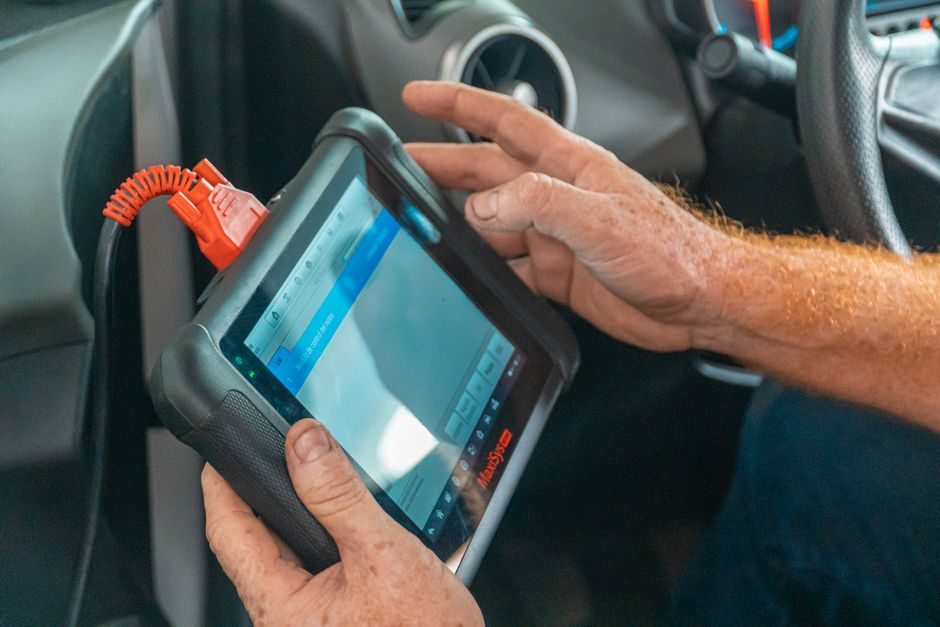
Run basic diagnostic tests
Access the OBD-II port and read stored codes with a compatible scanner. Record the code numbers and their accompanying status. This clarifies whether the issue is electrical, sensor-related, or mechanical. A useful resource on this topic: add an event to the Basingstoke events calendar.
- ☐ Connect scanner to port
- ☐ Record active codes during fault state
- ☐ Clear codes only after repair or confirmation
- ☐ Perform a controlled test drive if safe
- Code P0300 indicates misfire patterns
- Code P0420 relates to catalyst efficiency
- Check for loose connectors or damaged wires
- Test battery voltage and grounding
Options: fix or replace common parts
Choose between repair paths
If a sensor or actuator is at fault, a targeted replacement often restores function without major overhaul. Mechanical issues may require parts like belts or mounts. Each option has different downtime and cost profiles that suit your schedule. A useful resource on this topic: promote your business in Basingstoke.
- Sensor replacement vs. recalibration
- Electrical repair vs. harness inspection
- Belts or mounts depending on wear
- Software update if applicable
| Option | Pros | Cons |
|---|---|---|
| Sensor replacement | Fast fix if faulty | Costs and downtime may be higher than recalibration |
| Electrical repair | Addresses root cause | Requires skilled technician and precise testing |
| Software update | Low disruption | Not always applicable or effective |
Pitfalls: what commonly goes wrong

Common, avoidable mistakes
Rushing diagnosis can miss intermittent faults. Relying on a single symptom often leads to over‑replacement. Take a methodical approach to confirm each potential cause before acting. A useful resource on this topic: post a job ad in Basingstoke.
- Track symptoms over several days
- Verify fault persists under varied conditions
- Document what is ruled out
- Plan contingencies for downtime
- Skipping data logging
- Ignoring safety when testing
- Inadequate grounding checks
- Overlooking software updates
When you participate, announce the problem clearly, attach recent codes, and note what tests you ran.
Data sharing and community resources
Smart data collaboration
Sharing diagnostic data between owners and trusted shops can accelerate problem solving, but choose platforms with clear privacy controls and data formats. Compare how different services export fault codes, maintenance histories, and vehicle identifiers to avoid misinterpretation. The most useful data is structured, timestamped, and append-only so you can track changes over time. publish a death notice in Basingstoke will be handled via the appropriate local channels and is not related to car diagnostics.
When you participate, announce the problem clearly, attach recent codes, and note what tests you ran. That helps responders replicate issues and avoid redundant steps. Practically, keep a concise timeline of events and a copy of any relevant screenshots or logs.
Be mindful of privacy and consent; avoid posting sensitive personal information. If you share data publicly, scrub identifiers or use anonymized summaries. This approach protects you while inviting skilled feedback.
- Use a reputable forum with moderation and archived threads
- Share a concise set of fault codes and symptom descriptions
- Attach receipts or recent service notes only if non-sensitive
- Prefer structured data formats over free-form notes
- Respect local regulations on vehicle data
Integrating smart diagnostics
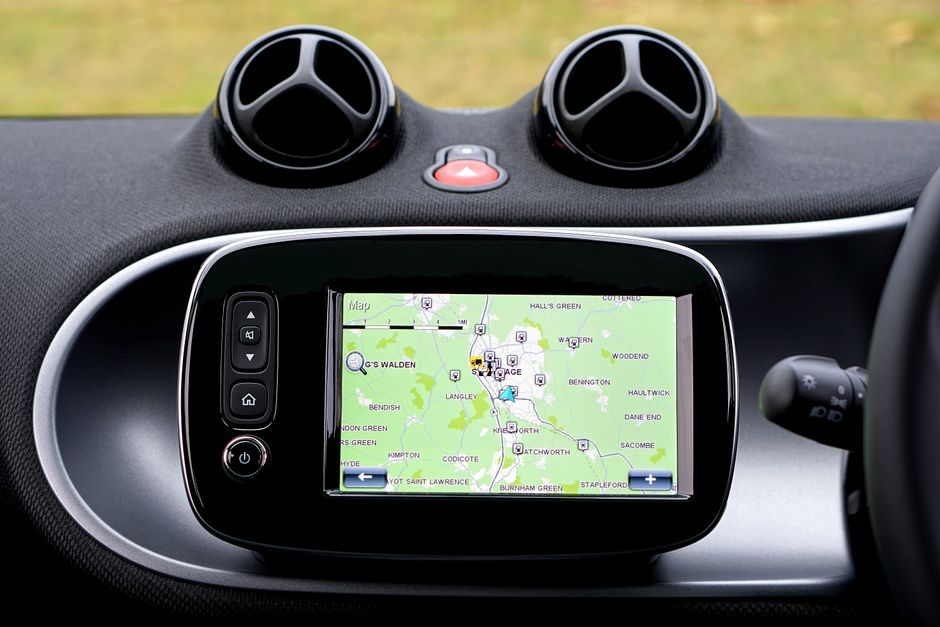
Bluetooth and cloud integration
Smart diagnostics increasingly rely on Bluetooth adapters and cloud-based logs to collect real-time sensor data. The key is to maintain a non-intrusive setup so you can still drive while remote data streams verify system health. You’ll often see dashboards that highlight voltage, temperatures, and error codes together.
Set up a stable pairing between the car’s OBD-II port and a trusted device, then route data through a privacy-conscious app. Review permissions and data retention settings so you decide what stays local versus what goes to the cloud. This balance protects your data while giving you actionable insights.
Document any calibration steps you perform and keep firmware up to date to minimize false positives from aging hardware. Smart diagnostics improve confidence when a traditional code reader alone can miss context.
Maintenance habits for reliability
Preventive routine checks
A disciplined maintenance routine reduces the chance of unexpected failures and keeps your car responsive to diagnostics. Prioritize fluids, belts, and filters, and align checks with your driving profile. The goal is early detection before a minor issue becomes a breakdown.
Create a simple calendar for service milestones and keep a running note of any odd behavior. A clear history helps you spot trends, such as gradual cooling or charging irregularities. Practical habits include setting reminders for brake fluid tests and tire rotations.
Incorporate a lightweight diagnostic scan into your normal service visits so technicians can compare current data with historical baselines. This approach helps you gauge whether anomalies are random or systemic and guides proactive repairs.
- Set reminders for oil changes and filter replacements
- Log any warning lights and their durations
- Ask for baseline scans during every major service
- Track tire pressure and brake wear visually
- Document software updates when they’re performed
Advanced tools and automation

Automation in diagnostics
Advanced tools automate fault explanation by correlating sensor data, drive cycles, and event timelines. The result is fewer manual steps and faster, repeatable checks. You still need a human reviewer to interpret context and confirm a fix.
- Use automation to corroborate manual findings
- Maintain a safe testing environment during any automated checks
Choose tools that support non-destructive tests and safe shutdowns to protect both the vehicle and the operator. For example, automated scans can reproduce a fault under controlled conditions without risking damage to sensitive components.
Keep automation updates in sync with manufacturer guidelines and avoid relying on third-party patches that lack verified safety checks. Real-world reliability comes from validated rules and clear error interpretation.
- Use reputable diagnostic interfaces
- Prefer tools with rollback or safe-test modes
- Document automated findings with timestamps
- Cross-check with manual readings when possible
- Avoid over-reliance on a single automated conclusion
Frequently asked questions
How do I avoid data overload when diagnostics get complex?Start with a core set of metrics and a clean baseline. Add one or two new data streams only after you confirm the previous ones are stable. This keeps the signal-to-noise ratio high and the investigation manageable.
Is it safe to share vehicle data publicly?Public forums can be helpful, but avoid posting sensitive identifiers or personal information. Use anonymized summaries and prefer private messages for troubleshooting that involves detailed data.
What should I do if I’m unsure about a recommended fix?Ask for a cross-check from another trusted source and request a step-by-step demonstration. Compare actions against the vehicle’s service manual and known-good baselines.
How often should I run diagnostic scans?Regular scans are sensible after significant driving periods or software updates. Use a maintenance cadence that aligns with your vehicle’s age, then add ad-hoc scans when symptoms appear.
Conclusion: Practical next steps for better diagnostics
Across these sections, the practical approach is to blend structured data collection with disciplined tool usage. Start with a baseline and build a concise data trail that guides troubleshooting, not guesswork. This is how you move from symptoms to a verifiable fix.
The final step is to commit to a repeatable workflow: a chosen diagnostic toolchain, a clear data-sharing plan, and routine maintenance logs. With that framework, you’ll diagnose faster and with more confidence, whether you’re at home or coordinating with a shop.
Add Honda Accord Cars as a preferred source on Google


